Getting your students in: three ways to enrol a class
A class code, a class list, or a pasted spreadsheet. Which to use for a batch of five, fifty or five hundred — and how approval actually works.
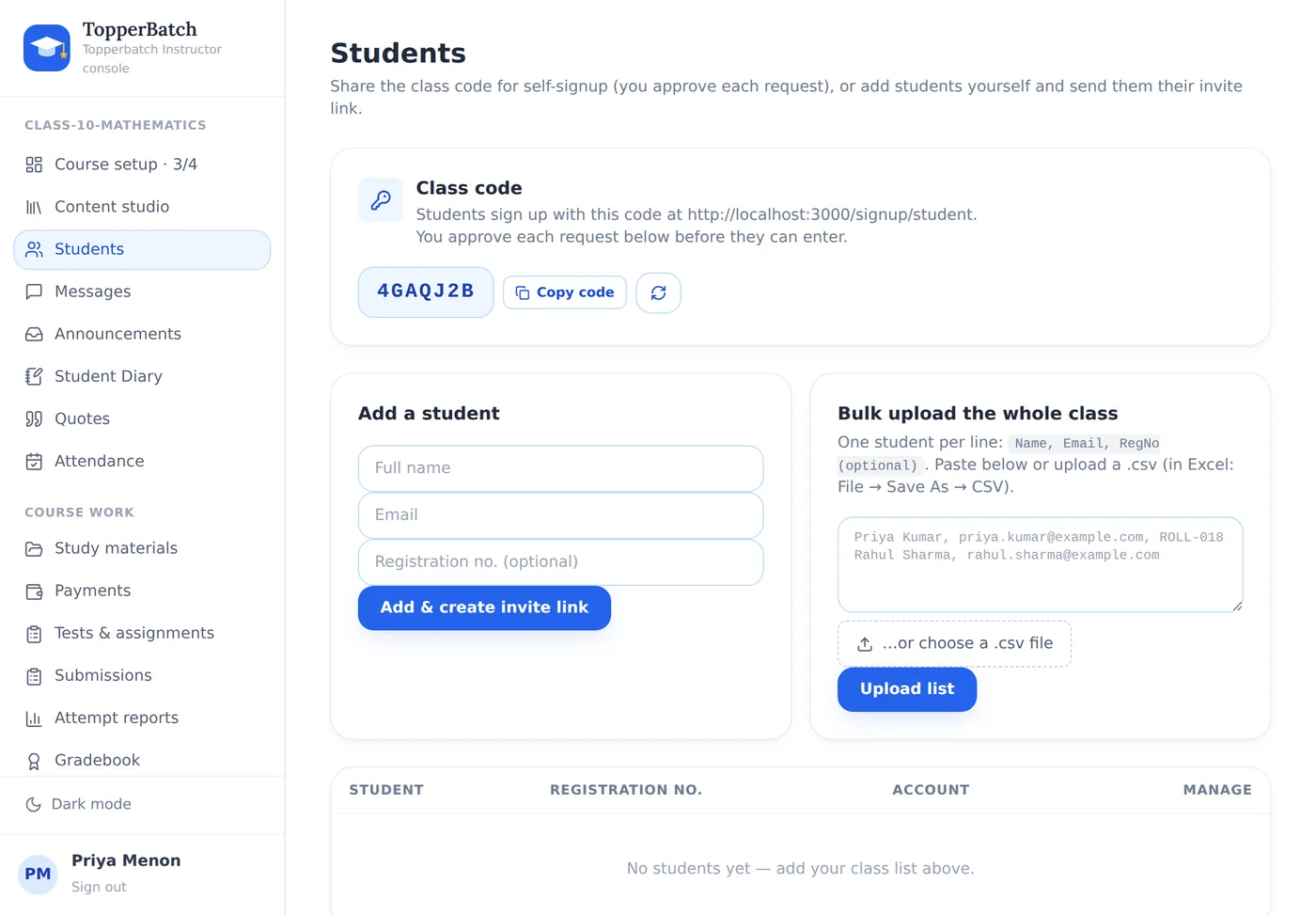
Every course has a class code — a short string on your setup page and at the top of Students.
1. Share the code
Best for: a batch you can reach on WhatsApp, and any class where students sign up themselves.
A student signs up, types the code, and their request appears in your Students page. You approve it. Until you do, they see nothing of your course.
If a code leaks — someone screenshots it into the wrong group — regenerate it from the Students page. Every previous code stops working immediately, and students already approved are unaffected.
2. Add them to the class list
Best for: a small class where you already have the email addresses.
Add a name and email to the class list and that student is enrolled the moment they create an account with that email. No code, no approval step, nothing for them to type wrong.
3. Paste the whole class
Best for: forty students and a spreadsheet.
Bulk add takes a pasted list, one student per line, as Name, email, roll number. A downloadable template sits next to the box. Forty students takes about as long as it takes to copy a column.
How approval actually works
- 1A join request is a request, not an enrolment. Nothing is visible to that student until you approve.
- 2Approving adds them to your roster, your gradebook and your message list at once.
- 3Removing a student takes their access away immediately, but keeps work they already submitted in your gradebook — so removing someone at the end of term does not erase the term.
Roll numbers are optional. Not every class has them, and the platform does not pretend otherwise.
Starting a new batch
You do not need a new course. Course data → Archive and clear writes a full snapshot of every student's work, then empties the course so the next batch starts clean. Your structure, content and settings stay exactly as they are.
Run your class the way you want to
Materials, assignments, attendance, grades and fees in one place, under your own brand.
Create your classroomKeep reading
How to run a coaching class without drowning in paperwork
Attendance registers, fee diaries, WhatsApp groups and photocopied worksheets. Here is how small institutes replace all of it with one system, without losing the personal touch.
Why your class needs its own space, not another WhatsApp group
Group chats are wonderful for conversation and terrible for coursework. A look at what breaks as your batch grows, and what to do instead.